Cloudinary video player issue on iOS Safari >= 11

I've got into a trouble with using cloudinary player on safary on ios devices
It works perfectly fine on ipadOS though.
The problem is:
When I'm loading the page with video player instance it just stuck with a message inside the video component: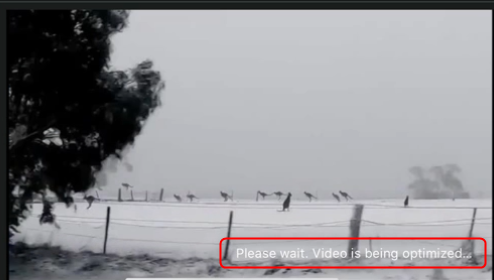
I'm using manual video player instantiation providing it a video container, then getting a public id of the video file and giving it source types that must be used with the player and in the end I have that result on the screenshot above. Optimization is never ending.
This happens only on ios devices. All android, PC, MacOS, ipadOS devices are fine.
Please, advise.
-

Hi Eugene,
To investigate this further, may I please ask you for a link to one of the pages where such video is present so that we can take a look at the implementation and issue? If these pages aren't public, then please share with us a CodePen / JSFiddle example that we can use to test this.
Looking forward to your response
Best regards,
Aleksandar
0 -
Hi Aleksandar,
Sorry for not replying back earlier.
I put the code together in the sendbox using your demo elephants video.
It's not exactly that problem that I tried to describe above, but I believe this is the root of evil.
https://codesandbox.io/s/priceless-wildflower-em2g0
So, you can see I'm trying to autoplay video with videjs play method, and this is where it fails on iOS.
Possible this issue and issue above are the same issue.
Best Regards,
Eugene0 -
Hi Eugene,
Thanks for sending this code sandbox over.
I was able to run this using BrowserStack on iOS and the video did autoplay from within the Sandbox. There were some errors in the console that were not due to the code but with regards to retrieving dependencies for CodeSandbox and other requests. My colleague who has a native iPhone tried it and it did not play for him, but that is most likely due to his strict restrictions that block all autoplay, even for videos which are muted. Does it work for you when using different iOS devices via BrowserStack and do you have any restrictions set in your iOS device that isn't autoplaying?
I've gone ahead and created a JSFiddle just with the Cloudinary Video player code so that we decouple any other dependencies that were in your React app / CodeSandbox. You can find it here: https://jsfiddle.net/1re4mwvn/show Could you try this and see if it autoplays?
iOS and MacOS have strict policies/rules on what can and cannot autoplay without a user interaction and the OS gives a lot of privileges to the user to control this too. Below I've included the relevant ones for both iOS and MacOS.
iOS:
https://webkit.org/blog/6784/new-video-policies-for-ios/MacOS:
https://webkit.org/blog/7734/auto-play-policy-changes-for-macos/To understand if this is the reason for the video not playing in your case we'd need to figure out if when you access the URL it throws any errors that we can further investigate. On iOS/MacOS you can link your Safari browser so that you can inspect the developer console for requests made from your iOS device on your MacOS Safari. The following two links provide more details on how to do that. https://developer.apple.com/safari/tools/ & https://developer.apple.com/library/archive/documentation/AppleApplications/Conceptual/Safari_Developer_Guide/GettingStarted/GettingStarted.html Could you please try to inspect if there are any errors in the console of your iOS device when accessing the Sandbox?
Best regards,
Aleksandar
0 -
Good evening, Alexandar
Can you please share the way you tested it ?
Because it's not autoplaying for me. I'm using iPhone XS on browserstack.Both versions:
https://jsfiddle.net/1re4mwvn/show and https://em2g0.csb.app/ are not being autoplayed at all. Even though both muted.0 -

Hi Eugene,
Can you try by enabling playsinline? With iOS, playing a video may enter to fullscreen mode. In order to autoplay without entering fullscreen, it needs to enable playsinline attribute. Please refer to the link Aleksandar mentioned earlier for more information: https://webkit.org/blog/6784/new-video-policies-for-ios/
Please check https://jsfiddle.net/leptians/dor21Lg8/show, I tested this with Safari on iphone X and autoplay correctly
Hopefully this helps, let me know if you have any question.
Regards,
Erwin Lukas0
Post is closed for comments.
Comments
5 comments