Confusion about "Played video is too large to process synchronously..." error

Hey Everyone,
We've implemented chunked uploading, and are able to upload video files over 100mb in chunks to Cloudinary. We're doing this using an unsigned preset with no transformations just to test the entire process of uploading and then playing the video through the Cloudinary player.
After the upload is complete we use the id that is returned and attempt to embed the video via the Cloudinary player. We receive the noted error: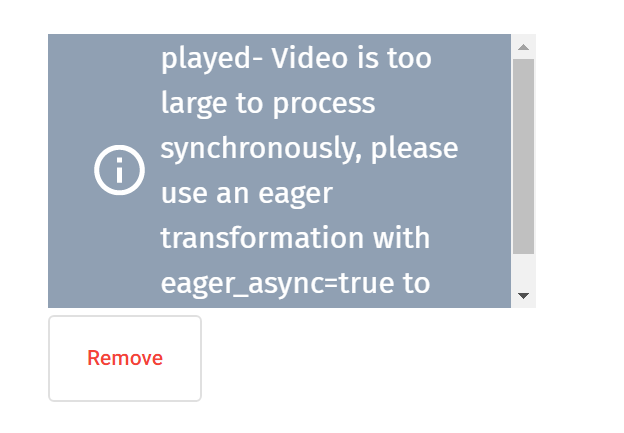
My first question is why do we receive this error when we have no requested transformations? I can see a "View derived videos" button in our media gallery, and I see that for our smaller videos a webm version was created. Is there a transformation happening behind that scenes that is independent of the preset?
My next question is how to resolve this. I've experimented with turning "Eager Async" on at the preset level with no success. I've tried to pass "eager_async" in as part of the requests, but that is not allowed when using an unsigned preset.
If anyone is able to point me in the right direction that would be great!
Thanks
-

Hi Chris,
Looking at the logs I see the request that produced that error. It was due to initially not having the Eager Async parameter in your preset set to True. I can then see upload requests afterwards which have been uploaded and transformed asynchronously after you've updated the preset settings to include Eager Async. Example public_id is "wsavkepn9onw4nwsdtgz" (I've omitted the name of the containing folder explicitly) which is a video close to 150MB and the derived versions (based on the configured preset) were generated asynchronously.
If you are still seeing any issues please share an example, file, public_id, timestamp and we'll take a look at that for you.
0 -
Hi Aleksander,
Thanks for having a look! It does seem to be working now so that's great.
I've got a follow up question for you regarding adaptive streaming. I've got adaptive streaming working using some of the "Cloudinary Video Player" example code here: https://cloudinary.github.io/cloudinary-video-player/adaptive-streaming.html
These examples seem to require that the lodash, cloudinary-core, and cloudinary-video-player packages be referenced in the project. If I install the Cloudinary Angular SDK do I still need to reference these 3 packages, or would they be bundled within that. I'm just trying to figure out if they Cloudinary Video Player is part of the SDK or a completely separate thing.Thanks,
Chris0 -
Hi Chris,
No worries, great to hear the uploads/eager transformations are indeed working for you now.
Regarding your questions - The Angular SDK would ship with the standard cloudinary-core library which is the base JS SDK. The video player source code should be included separately. We wanted to only bundle the libraries needed for the Angular SDK itself as not all projects will require the video player to ship at the same time. The same is the case for lodash.
0
Post is closed for comments.
Comments
3 comments