Upload widget v2 - showing image dimensions on mobile

I recently upgraded from upload widget v1 to v2. One of the changes is a major regression IMO, at least for me.
My app uses the google image search option.
In my app, I need to select images that are of a particular minimum size (e.g. 800x800px).
In the previous version of the upload widget, each thumbnail result would show its dimensions on touchstart. This is not as usable as, say, always showing them. But it enabled me to know whether the image I found was of a good enough size or not (and if not, I could turn my touchstart into a scroll-swipe, to avoid selecting it).
But in the new version, I seem to have no way of knowing that the image is of a suitable size or not.
Is there anything I can do to re-enable this functionality, or to filter google image results to not return small ones in the first place??
-
Official comment

Hi,
In order to better understand the issue, I need some more information.
Can I please ask you to provide more details about the problem you're encountering?Please confirm which version of our SDK you're using, as well as:
* A sample of your code.
* The value you're passing as parameters (for example, the transformation options)Looking forward to your response.
Best,
Akshay -
Hi Ashkay,
I'm using upload widget v2, i.e.:
<script src="https://widget.cloudinary.com/v2.0/global/all.js" type="text/javascript"></script>
Here's my code:window.cloudinary.openUploadWidget({
theme:'minimal',
cloud_name:'xxxxxx',
upload_preset:'xxxxxx',
multiple:false,
folder:'xxxxxx',
cropping:'server',
cropping_aspect_ratio:1,
cropping_default_selection_ratio:1,
cropping_coordinates_mode:'custom',
cropping_show_back_button:true,
public_id:`${timestamp}`,
resource_type:'image',
sources: ['local', 'image_search', 'camera'],
default_source:'image_search',
google_api_key:'xxxxxx',
},
(error, result) => {
console.log('result: ', result);
if (result.event==='success') {
// stuff
}
});But I don't think my transformation options have anything to do with it. Everything "works" fine.
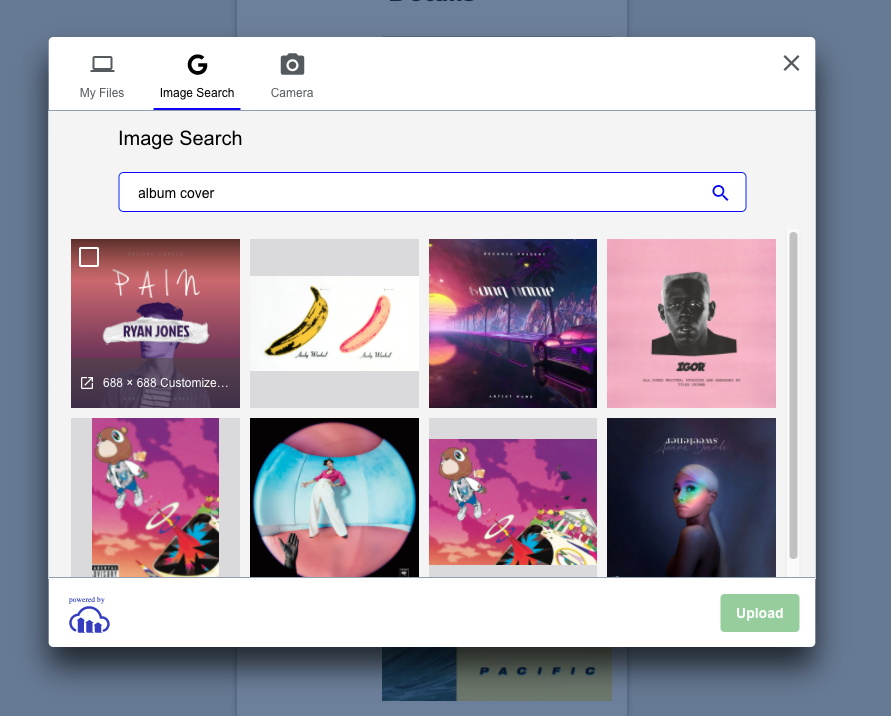
The issue is that I don't know how big the image results are on mobile. In the previous upload widget version it would overlay the dimensions on the thumbnail on touchstart. Now it doesn't show it anywhere. See screenshot.
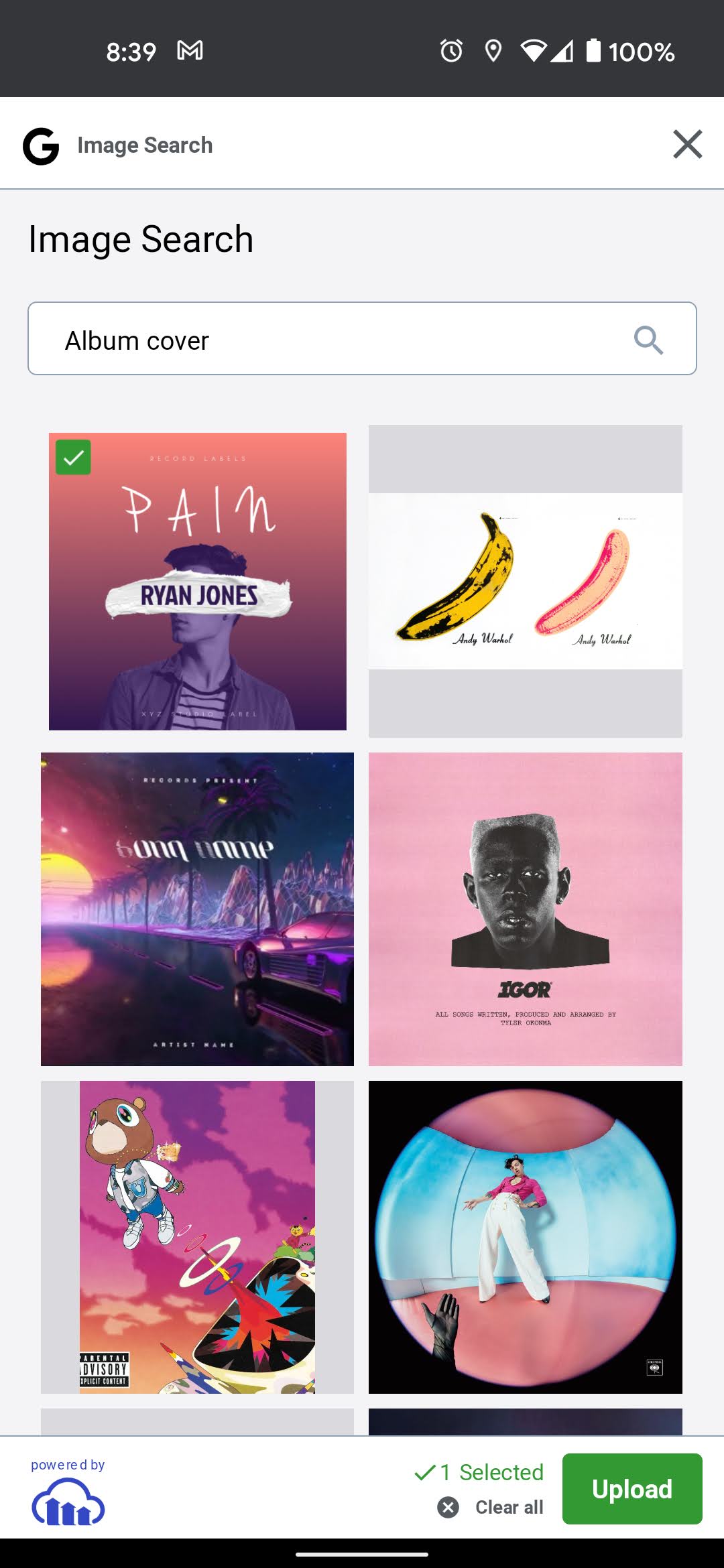
This issue is mobile specific. If I compare it with the desktop view, I get that info on hover. See screenshot:
Because this size info is vital for my app, I'm pretty much unable to continue using the upload feature on my phone.
0 -

Hi Liam,
Thank you for providing more details. We have opened an internal request to display the image size when using the upload widget via mobile.
We will update you once we have any new information on this.
Regards,
Michal0 -
Hi Liam,
Displaying the image size when using the upload widget on mobile, is now working.
Let us know if you have any issues.
Regards,
Michal
0 -
Brilliant. Tested and working. Thanks so much!
0 -
Great! Glad we could help.
0
Post is closed for comments.
Comments
6 comments