Trouble delivering correct image based on browser dev tools DPR setting

Hi there,
I've been testing the cloudinary-core-shrinkwrap.min.js library to deliver a retina image to a test page.
I've been following the instructions at:
and have created a test page at:
Essentially I'm delivering a single test image with the following settings:
<img data-src="https://res.cloudinary.com/liquidweb/image/upload/w_auto,dpr_auto,c_scale,f_auto/Sally-Kanazawa.jpg"

class="cld-responsive">
If I load this test page into Chrome 70 or Firefox 63 and complete these steps:
1. Open up the dev tools and inspect the img tag.
2. Go into Responsive Design Mode (Firefox) or Toggle Device toolbar (Chrome)
3. Set width of the responsive device to be 320px wide
4. Set the DPR to 1.0
If you look at the attributes on the img tag you'll see the width is 400px, and the DPR attribute is set to dpr_2.0
If I move my mouse over the src attribute I can see the native image size is 800 x 533 pixels. So even though I've specified a DPR of 1.0 in the device toolbar, I'm getting a DPR2 sized image served to the browser.
The same issue occurs if select DPR 2 or 3. The DPR setting on the img tag becomes dpr_3 and dpr_4 respectively, and a image larger than expected is delivered.
See the attached screenshot for more details.
Is there something that I'm doing wrong? I have all the recommended attributes attached to the img element, and the script seems to be executing properly and updating the img src based on the "cld-responsive" class.
Why doesn't the dpr_auto attribute deliver a 400px wide image when the DPR setting in Chrome or Firefox dev tools is set to 1.0?
Any feedback or advice you could provide would be greatly appreciated :-)
Regards,
Carl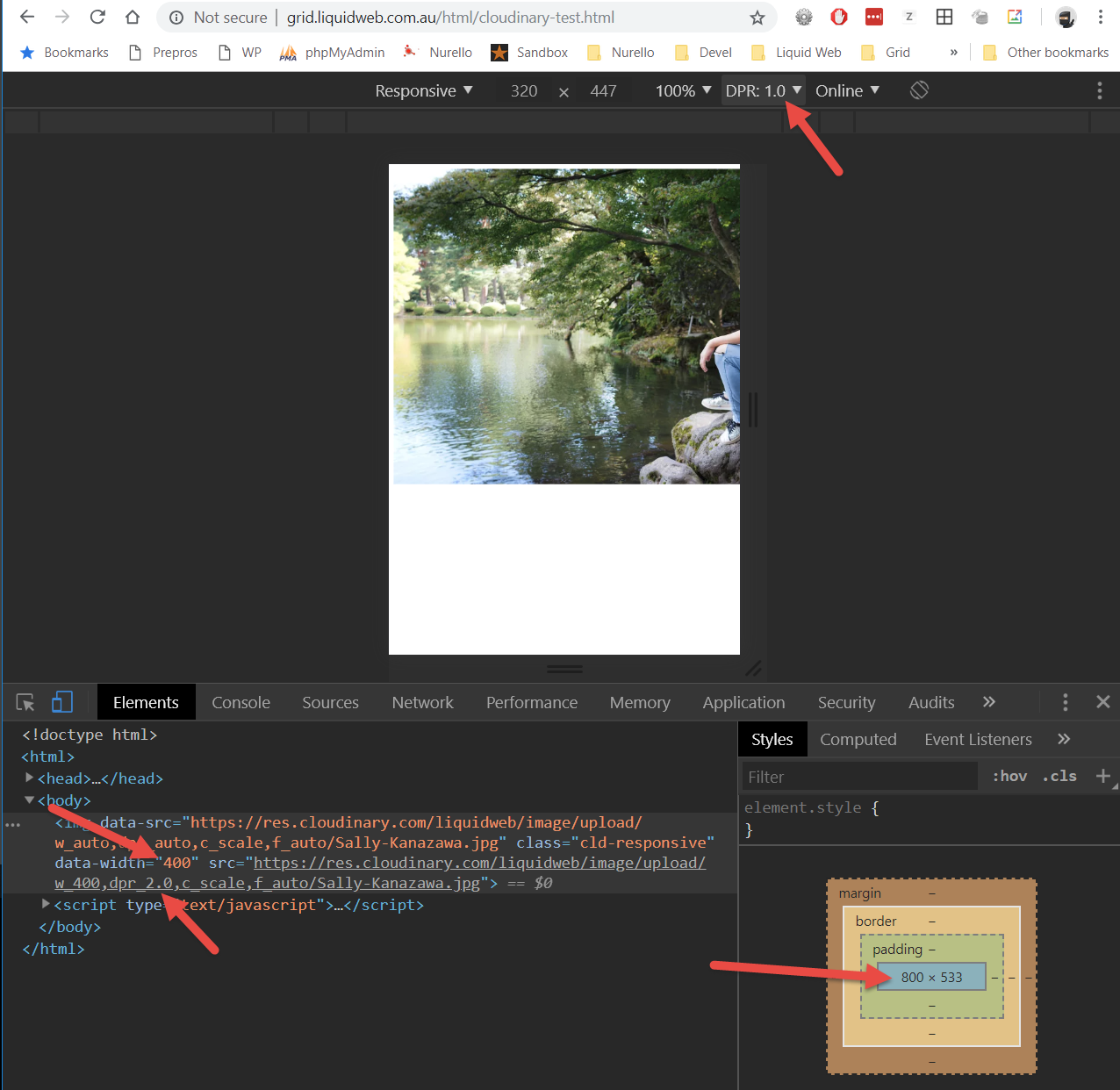
0
-

Hi,
“Client-side responsive” relies on the resize event of the window. So after changing the dpr you need to resize the window to let the URL refresh.
If using device toolbar, “resize” means changing the values of the device in the toolbar. You can also trigger the change after the resize by calling cloudinary_update-http://cloudinary.github.io/pkg-cloudinary-core/Cloudinary.html#cloudinary_update
Best,
Yakir
0
Post is closed for comments.
Comments
1 comment