Cropping with a background color (crop area only)

Hi,
I'm trying to create circular avatars where the background of the circle is white. I can't figure out how to crop the white background. I don't want to have a border on my image.
Not working URL:
- https://res.cloudinary.com/demo/image/upload/ar_1,r_max,c_fill,g_face/shoes.png
- https://res.cloudinary.com/demo/image/upload/b_white/ar_1,r_max,c_fill,g_face/shoes.png
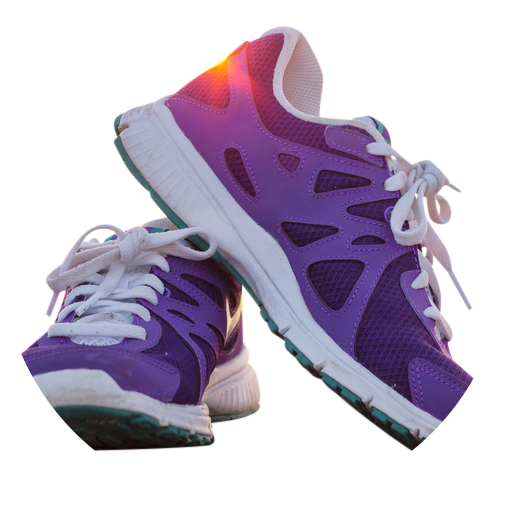
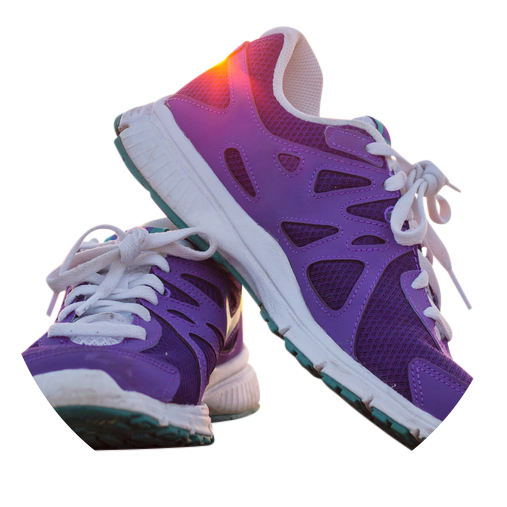
Thanks
-

Hi David,
The Background color transformation is always applied last, even if set in the first component of a chained transformation.
With that being said, there is a way to get the end result you are trying to achieve but it requires adding the background as an underlay to the original image.
You first need to upload a 1-pixel white image, which can then be used as an underlay to all of your circular avatars.
Once the 1-pixel image is available on your account, you can use it as follows to get the desired result:
https://res.cloudinary.com/demo/image/upload/ar_1,r_max,c_fill,g_face/u_1px-white,h_1.0,w_1.0,fl_relative,r_max/shoes.png
What I did is applied the underlay while making sure I expand the 1px to the exact same dimensions and radius as the main image. The height and width of the underlay were set to 100% along with the relative flag to create the relevant expansion, while the max radius was needed for no overflow of the white background.If you want to download the 1-pixel image and upload it to your account, you can use the following URL:
https://res.cloudinary.com/demo/image/upload/1px-white.png
Best,
Raz1 -

@Raz — I did this and it worked beautifully, except that my overlay (icon in the bottom left corner) is now below my image. Here's the URL—please advise.
0 -
figured it out: /u_1px-white_thedf6/fl_layer_apply,h_1.0
0 -

To get the 1x1 px image: http://www.1x1px.me/
edit: If you are doing a website. Style the image in css and will take the website background.
.img-circle{ radius: 50% }
1 -

Thank you Moisés, that's a helpful site indeed!
Note that Cloudinary also supports generating any 1x1 pixel "image" of your choice, e.g.,
https://res.cloudinary.com/demo/image/upload/w_1,h_1/e_colorize,co_red/sample.jpg
or by RGB value:
https://res.cloudinary.com/demo/image/upload/w_1,h_1/e_colorize,co_rgb:ff0000/sample.jpg
If you'd like it to be semi-transparent, then change the format to PNG and add two more digits to the end of the RGB value, representing the opacity percentage (00-99), e.g.:
https://res.cloudinary.com/demo/image/upload/w_1,h_1/e_colorize,co_rgb:ff000020/sample.png
or fully transparent:
https://res.cloudinary.com/demo/image/upload/w_1,h_1/o_0/sample.png
0


Post is closed for comments.
Comments
5 comments