Upload size picture differs in pixels from the original file

We uploaded this picture, with pixel size, 1024x2047, which is what is showing in the picture after uploading, We have a requirement that no side pixels should be lower than 600 & more than 2048. However, when we give this URL for this picture, it is being rejected as the sizes are no longer 1024x2047.

We are being told that the size is now
width: 352px;, height: 705px;
1. How do we know what the picture size is that has been uploaded.
2. How do we ensure that the 3rd party site gets the image does not go below 600 pixel one side, and more than 2047 on 1 side.
Regards,
Abhijit
-

Hi Abhijit,
Cloudinary never changes the dimensions of an uploaded image, unless it is instructed to do so via the transformation provided in the delivery URL, or when resizing is applied as an incoming transformation during the upload process.
With that being said, I went and checked the image in the URL that you provided. I can confirm that its delivered size is 1024x2047, as expected:
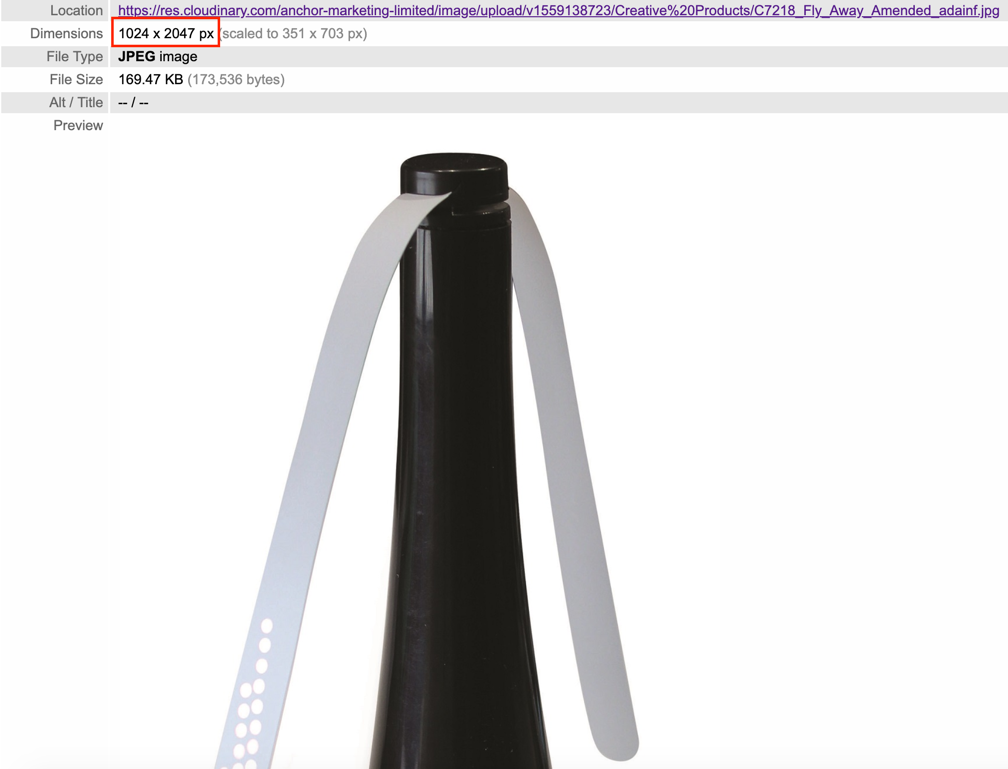
Please note that the grey text stating "(scaled to 351 x 703 px)" is the automatic behavior of the browser which resizes the delivered image to the size that fits the window/container. However, that doesn't change the fact that our CDN still delivers the image to the browser in its full size.
To better assist with your question, can you please open a support ticket at https://support.cloudinary.com/hc/en-us/requests/new or by sending an email to support@cloudinary.com and we will continue the conversation over the ticket's thread?
0
Post is closed for comments.
Comments
1 comment