The requested range is not satisfiable

Using the web interface, I uploaded an MP4 encoded with h.265 that is 16s long and ~17MB in size which I transformed to a 1.6MB webm file and it worked fine. Then I modified the video and re-exported with the same settings only now 22s long and ~42MB in size. It uploads without issue but the preview window says "invalid transformation" and when I try to view the video I get the error "The requested range is not satisfiable." I've tried both exporting and uploading several times and I don't always get the exact same error but I always get errors in the same places and it never works. I tried the original, shorter video again and it worked without issue.
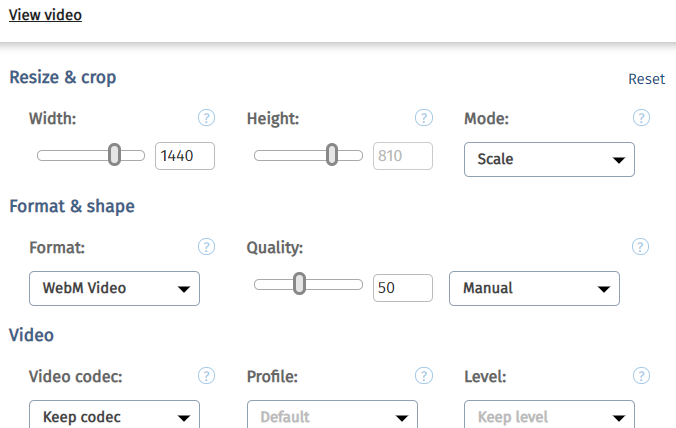
Am I doing something wrong? I'm a bit confused by the interface. I don't see any way to save my edits and more often than not they don't save. Sometimes they do save tho and it's not clear why. I'm not sure if this is a bug or if I'm just failing to understand how it works.
-
I have learned that there are supposed to be some additional buttons, including "save" and "save as," but they're not appearing for me. I don't know why. Disconnect is the only ad-blocker-like extension I use and I have disabled it for this site but it doesn't make a difference. I tried logging in in incognito mode but it also made no difference.
 0
0 -
Well, after spending two days trying to get Cloudinary to perform its most basic functions without any success I've been forced to come to the conclusion that this service is unreliable and not ready for production environments. Any suggestions on alternatives?
0 -

Hi David,
I'm sorry for the delayed in our response!
Cloudinary sets an online (synchronous) video transformation (40MB for free plans and 100 MB for paid ones). This means that for videos larger than the limit you'll need to perform the [video transformations eagerly](http://cloudinary.com/documentation/upload_videos#eager_video_transformations).
Eager transformations can be set upon upload or by updating your current resources using the [explicit](http://cloudinary.com/documentation/image_upload_api_reference#explicit) API.
Hope this helps, please let us know if you have any further questions.
0
Post is closed for comments.
Comments
3 comments